Estimate to Invoice: The Contractor Workflow Explained
Most service businesses follow the same workflow: quote the job, get approval, do the work, send the invoice. QuoteNovo handles the full cycle in one Windows application - no separate tools needed.
$265 one-time • 3 licenses included • Windows only
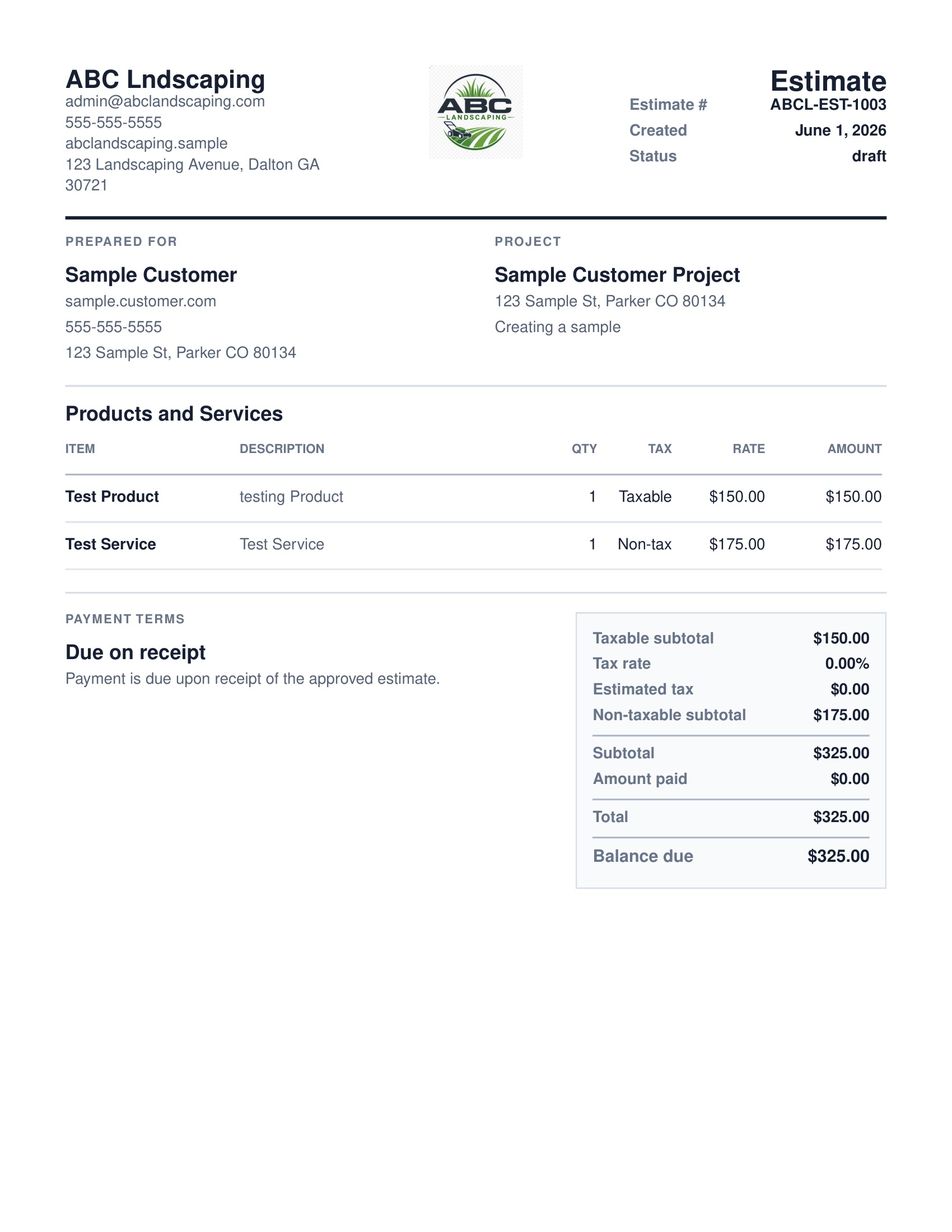
What your client receives
QuoteNovo helps contractors turn estimate details into a clean, customer-facing PDF proposal with line items, pricing, project information, and totals.
- Business name, logo, and contact details on every PDF
- Client name and project information
- Line-item breakdown with quantities, pricing, and tax
- Subtotals and grand total calculated in-app
- Download directly from QuoteNovo — no extra software needed
The estimate-to-invoice workflow for service businesses typically involves four steps: (1) building a detailed estimate with line items for labor and materials, (2) generating a PDF proposal for client review and approval, (3) converting the approved estimate to an invoice after the job is complete, and (4) tracking payment status until the balance is settled. QuoteNovo is Windows desktop software that handles this complete workflow for $265 as a one-time purchase (3 licenses). It stores all records locally and requires no internet connection for normal use.
The problem with most estimating and invoicing software
- Using separate tools for estimates and invoices means entering the same job information twice.
- Disconnected workflows create errors when prices or scope change between the estimate and invoice.
- Many service businesses delay invoicing because the process is inconvenient - costing cash flow.
Why QuoteNovo fits
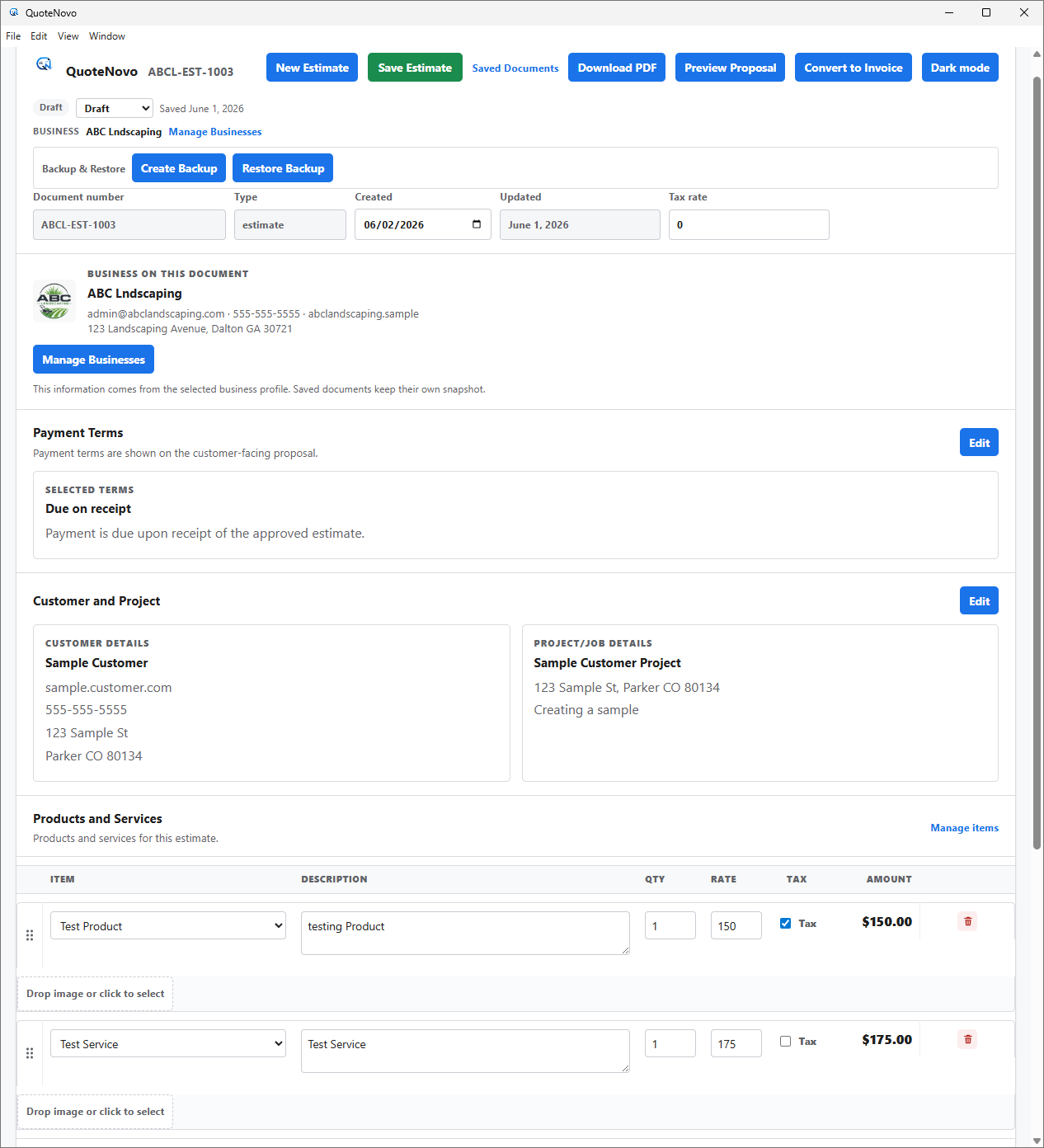
- Build an estimate with full line items - customer, project scope, materials, labor, tax.
- Generate a PDF proposal from the estimate for client review.
- Convert the approved estimate to an invoice in one step - all details carry over.
- Track payment status until the job is fully paid.
- One application handles the full cycle - no switching between tools.
What QuoteNovo includes
Every feature listed below is part of the $265 one-time purchase.
QuoteNovo is not full accounting software
QuoteNovo is not full accounting software. It does not include payroll, bank feeds, tax filing, bank reconciliation, or deep bookkeeping reports. Businesses that need those capabilities should use QuickBooks or dedicated accounting software alongside or instead of QuoteNovo.
QuoteNovo is not the right fit if you need:
- Businesses that need automated recurring invoicing or subscription billing.
- Operations needing online payment links built into invoices.
- Teams that need mobile or cloud access to the workflow.
Stop paying monthly for software you could own
$265 one-time purchase • 3 licenses included • Windows only • No subscription
Complete a Demo and Get 10% Off QuoteNovo
Submit your info and we'll contact you to schedule a short QuoteNovo product demo. After you complete the demo, you'll receive a purchase link with 10% off your lifetime license.
- Short, focused product walkthrough
- See estimates, invoices, and PDF workflows firsthand
- Ask questions before you buy
- 10% discount link sent after the completed demo
Frequently Asked Questions
Have a question not answered here? admin@quotenovo.com