Offline Estimating Software - Build Estimates Without an Internet Connection
QuoteNovo installs on your Windows PC and stores all data locally - so you can build estimates, create invoices, and generate PDFs whether or not you have an internet connection.
$265 one-time • 3 licenses included • Windows only
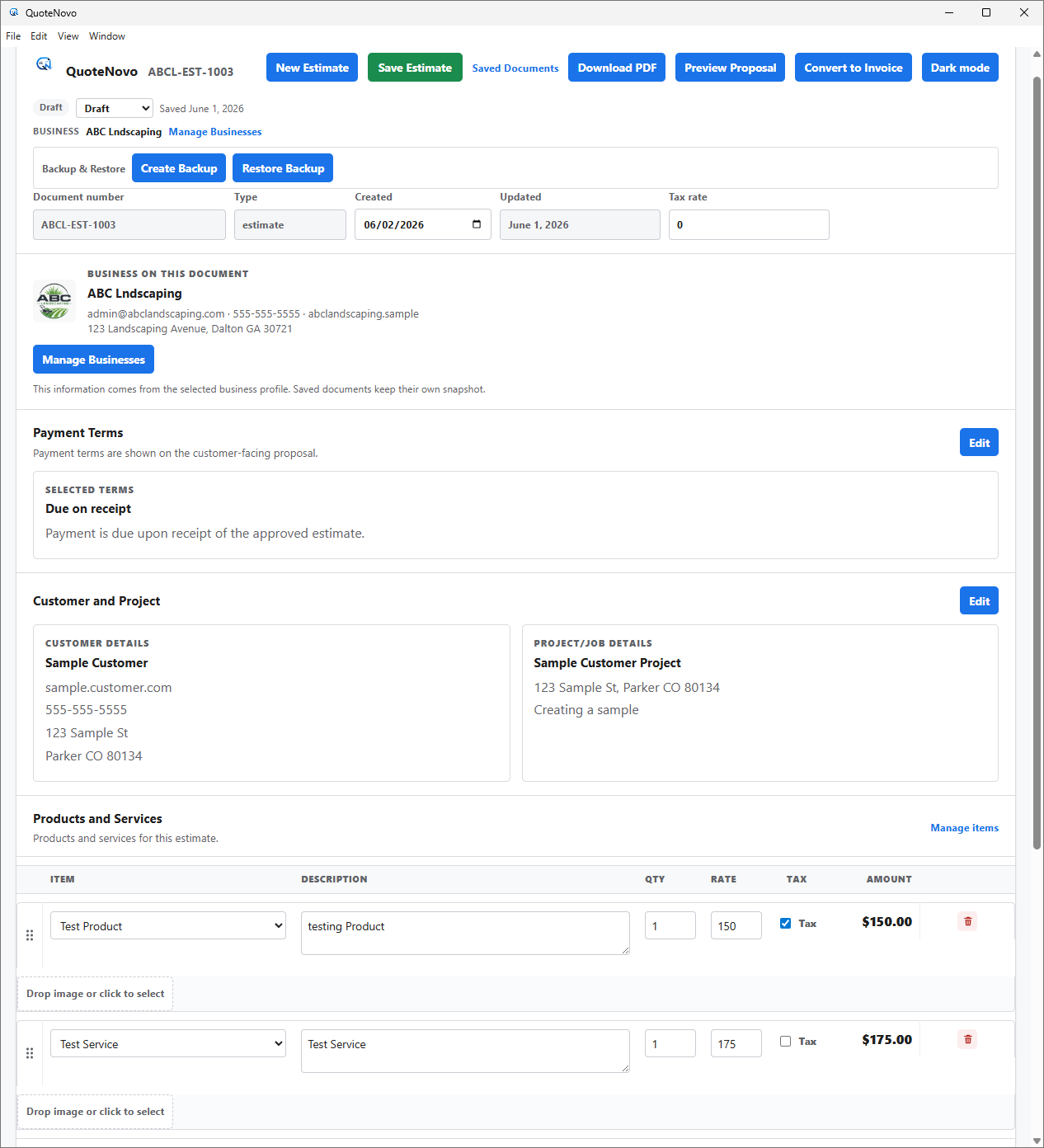
What your client receives
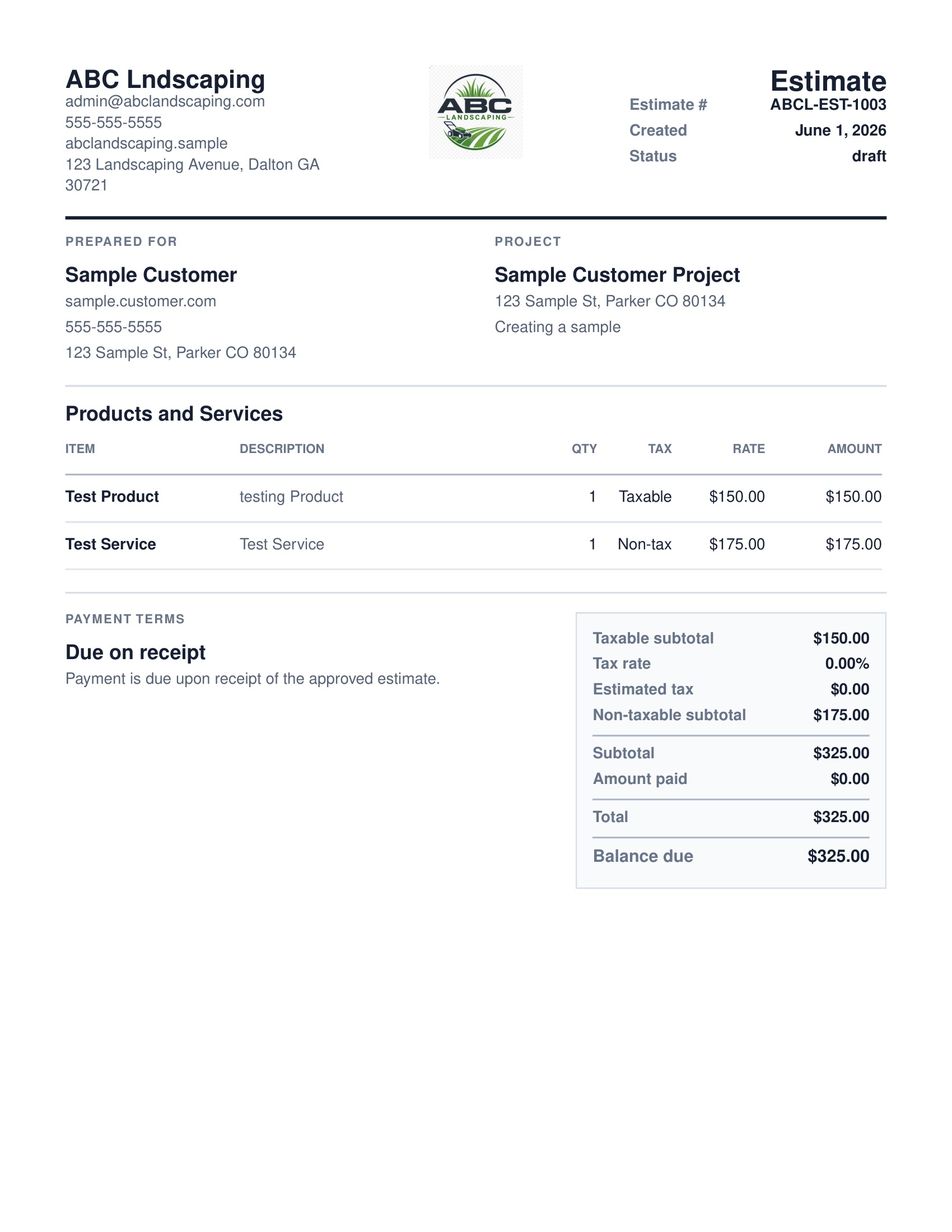
QuoteNovo helps contractors turn estimate details into a clean, customer-facing PDF proposal with line items, pricing, project information, and totals.
- Business name, logo, and contact details on every PDF
- Client name and project information
- Line-item breakdown with quantities, pricing, and tax
- Subtotals and grand total calculated in-app
- Download directly from QuoteNovo — no extra software needed
QuoteNovo is a Windows desktop line-item estimating and invoicing application that operates entirely offline. All data — including saved service items, inventory/material items, labor items, and stored pricing — is stored locally on the user's Windows computer, with no cloud account or internet access required. It is purchased once for $265 and includes 3 licenses. Contractors in areas with unreliable internet, or those who prefer local data storage, use it to build detailed line-item estimates and invoices from their saved service library without any cloud dependency.
Not all contractors work from an office with reliable internet. Estimators visiting rural job sites, working in basements and garages with no signal, or operating from a shop or truck regularly encounter situations where a cloud-based tool stops working entirely. Local-first Windows software avoids this problem — all features work regardless of connectivity because nothing is stored in the cloud. QuoteNovo is a local-first application installed on your Windows PC that keeps every customer record, saved service item, inventory/material item, estimate, invoice, PDF proposal, and service library entry on the local machine. You can build a detailed line-item estimate from your saved services and materials at a remote job site, generate a PDF proposal, and email it when you are back in range — all without ever needing a cloud login or sync event. Unlike cloud estimating tools that require both an active internet connection and an ongoing subscription account, QuoteNovo works fully offline and is purchased once for $265 with no monthly fee — so there is no recurring cost to justify during slow periods or off-seasons.
Where cloud estimating tools fail in the field
- Job sites, rural areas, and basements often have poor or no internet connectivity - cloud estimating tools fail in these situations
- Cloud software requires a constant internet connection to access customer records and build estimates
- Some contractors prefer to keep client data private and stored locally rather than in a third-party cloud
- Monthly subscription payments require maintaining an account and internet access to manage billing
How QuoteNovo fits offline and low-connectivity workflows
- Installed directly on Windows - runs completely without internet access
- All customer, estimate, and invoice records stored locally on your PC
- Build, edit, and export estimates and invoices from any location, connected or not
- No cloud account to manage, no sync errors, no outage risk from a third-party server
- One-time $265 purchase - no subscription that requires account management
What QuoteNovo includes
Every feature listed below is part of the $265 one-time purchase.
Example use case
A fencing contractor estimates a remote residential property with no cell coverage. He opens QuoteNovo on his laptop in the truck, pulls standard fencing material and labor packages from the service library, adjusts quantities for the measured property, and generates a PDF proposal on the spot. When he gets back to town with cell service, he emails the PDF to the homeowner. The client approves it the same day. There was no cloud login, no sync error, and no missed estimate because of poor connectivity.
What QuoteNovo does not cover
QuoteNovo is not full accounting software. It does not include payroll, bank feeds, tax filing, bank reconciliation, or deep bookkeeping reports. Businesses that need those capabilities should use QuickBooks or dedicated accounting software alongside or instead of QuoteNovo.
QuoteNovo is not the right fit if you need:
- Contractors who need real-time cloud sync between multiple devices or remote team members
- Businesses requiring mobile app access on phones or tablets
- Operations that need cloud-based collaboration or remote access from multiple locations
Stop paying monthly for software you could own
$265 one-time purchase • 3 licenses included • Windows only • No subscription
Complete a Demo and Get 10% Off QuoteNovo
Submit your info and we'll contact you to schedule a short QuoteNovo product demo. After you complete the demo, you'll receive a purchase link with 10% off your lifetime license.
- Short, focused product walkthrough
- See estimates, invoices, and PDF workflows firsthand
- Ask questions before you buy
- 10% discount link sent after the completed demo
Frequently Asked Questions
Have a question not answered here? admin@quotenovo.com